
Once the operator has run the selected (.RO) test script, click on the Connector tab in the Worklist Pane. In this tab, operators will see the Connectors, the number of tests per connector in the test script, and the error percentage of the failed tests per connector. Operators can sort test failures by Connector name, Number of Tests in Test Script, or Error Percentage. Additionally, if a connector is selected from the list, the Detail Pane provides more information on the connector.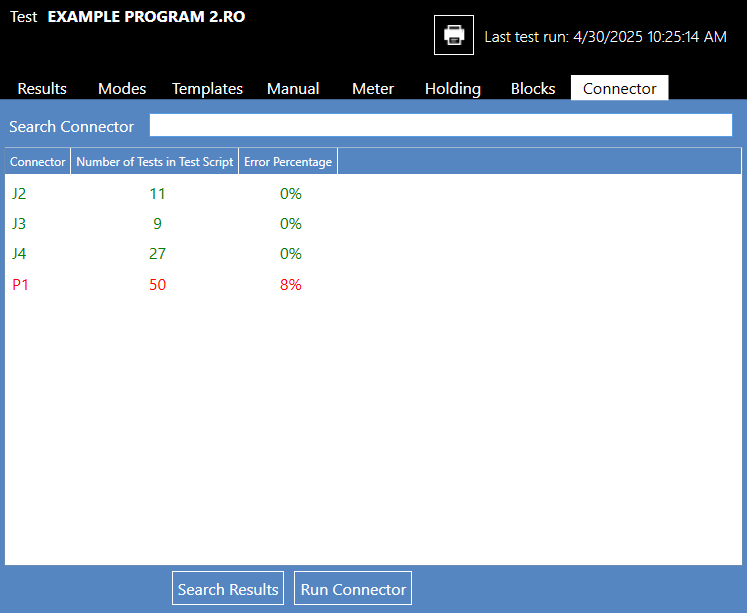
When users open the Connector tab in NETS, two buttons are displayed in the Worklist Pane. These are the Search Results and Run Connector buttons. After selecting a connector, click the Search Results button to scan the initial test results from test script execution and filter the tests associated with the selected Connector in the Results tab of the Worklist Pane.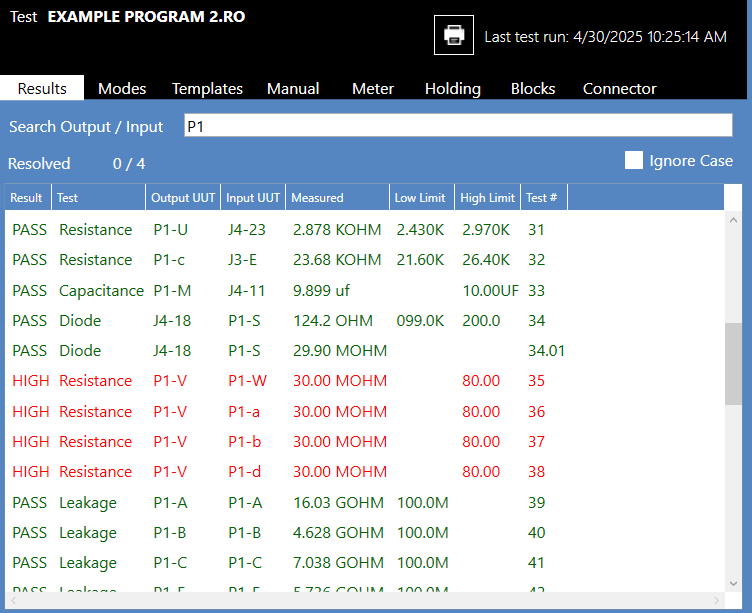
The Search Connector field allows the test operator to search for a specific connector by name. To search for a specific connector in the Connector List, enter any portion of the connector name in the Search Connector Field. The Connector List automatically filters the results to display only connectors that contain the description.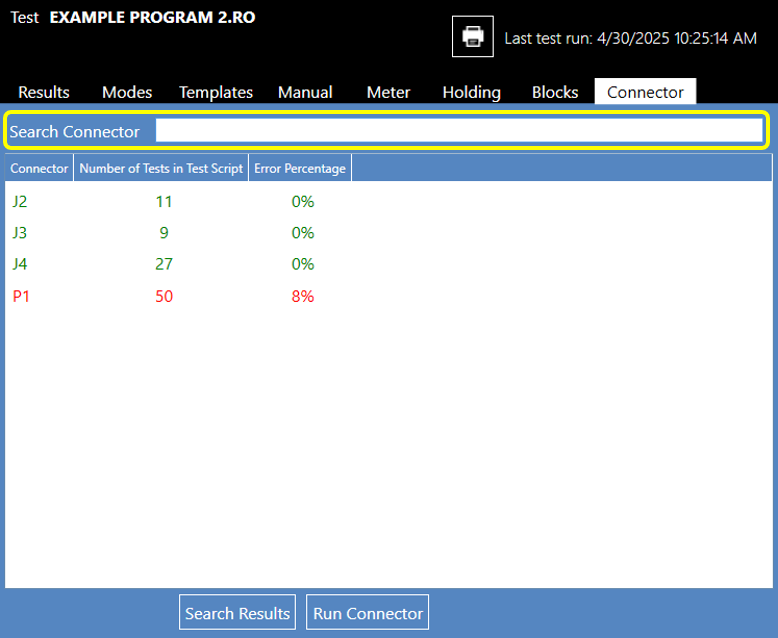
Note: The Search Connector field is case-sensitive.
Source: NETS User Manual, Revision D, document 132-06035-0006, section 6.1.