
After selecting a connector from the Connector tab of the Worklist Pane, the Detail Pane provides a fault overview of the connector. The overview includes the Connector name, the Fault Summary by Test Type, the Suspected fault analysis, and the Required Connectors to perform the Connector Test. The test types displayed are based on the tests identified in the Test Script for the selected connectors.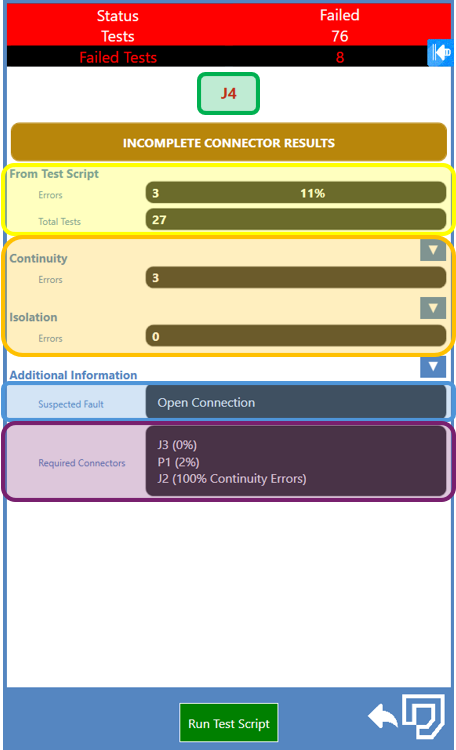
Note: The colored and highlighted areas in the screenshot on the previous page were added to distinguish the sections and do not appear in NETS.
Source: NETS User Manual, Revision D, document 132-06035-0006, section 6.3.