
The Navigation (DIT-MCO "D") button is in the lower right corner of the Main Screen.
Clicking on this button will display a menu that allows quick navigation to other function screens without returning to the Main Screen. It also displays the current version of NETS.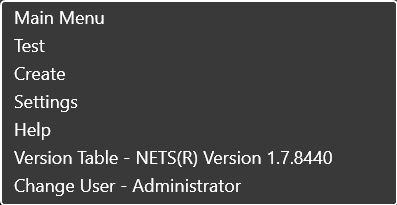
Clicking on the back arrow allows the user to move to the previous screen.
Source: NETS User Manual, Revision D, document 132-06035-0006, section 2.8.