
If users select the Ethernet option as the method of interfacing with the Analyzer hardware, then they must associate the NETS software with the Analyzer hardware using the DitNLA utility. It establishes a connection between a computer and a test system for users with Ethernet protocol. Each NetLink test system, like every computer, has a pre-assigned MAC address. This program shows the Host Computer's MAC and IP addresses and those associated with the Analyzer. The initial association between the NETS software and the Analyzer hardware is performed manually by the user when the system is set up for the first time. Once the first-time association has been completed, DitNLA will run when the Computer boots and automatically perform an association. The DitNLA icon appears in the Windows System Tray when it is running.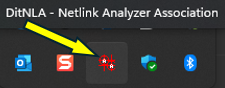
Right-click on the icon and select "Open" to view the application.
DitNLA will report one of the following three states.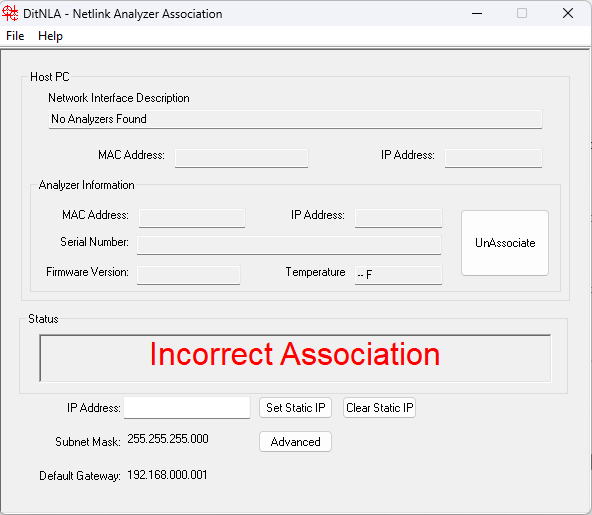
Incorrect Association means that either no Analyzers are found or the Analyzer trying to be configured differs from the previous unit.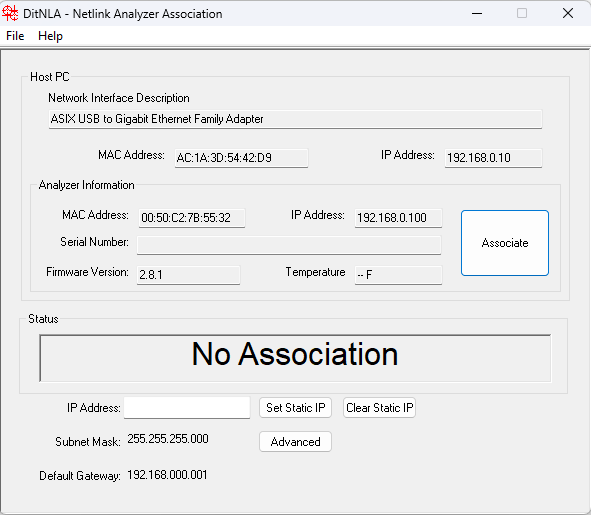
No Association means that an Analyzer has been found, but there has not been an attempt to connect to it.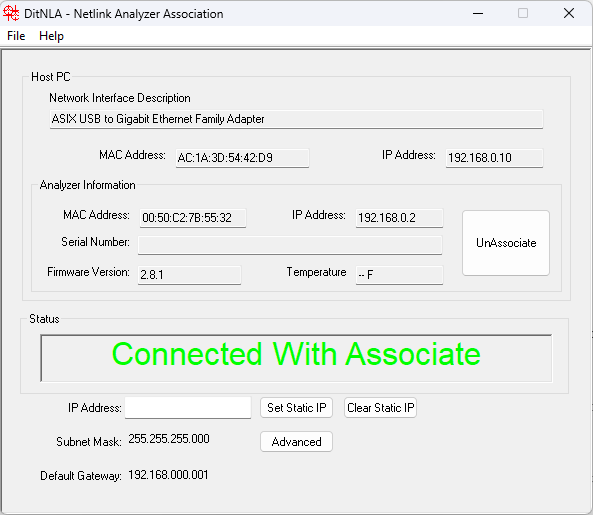
Connected With Associate means that DitNLA successfully connected to the Analyzer and may now be used with NETS.
Source: NETS User Manual, Revision D, document 132-06035-0006, section 1.4.4.