
All of the options affect the Editor screen when building test scripts.
Show Line Numbers: Displays the line numbers in a test script.
Font Size: Determines the font size displayed.
Font Family: Determines the font displayed. Monospace fonts such as Consolas or Courier New are recommended for easier reading.
Syntax Errors Color: Color option for errors found with the Check Syntax function of the NETS Editor.
Cross Check Addresses Color: Color option for address errors found when checking between the test script and its associated ACT file.
Tool Tips Enabled: Helpful tips will appear when users hover the mouse over menu items.
Code Completion Enabled: Users may hit the Enter key when writing test scripts to allow the Editor to complete common commands and modes.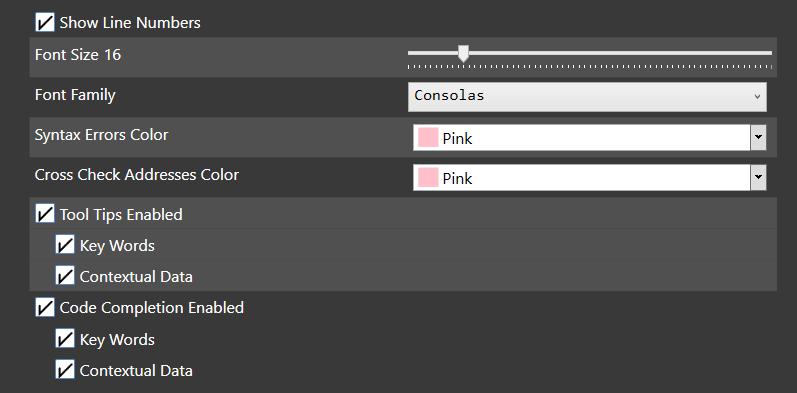
Source: NETS User Manual, Revision D, document 132-06035-0006, section 3.11.1.