
Identifying the system being configured is key to understanding how to initialize, set up, and configure the Analyzer. This information is found on the gray DIT-MCO tag affixed to the back panel of the Analyzer. These tags have various types, each presenting the information in a slightly different format. The information required to identify a system is present on each type.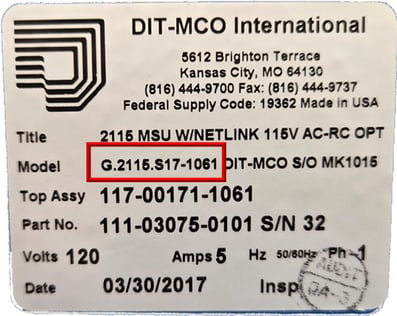
This example is how gray tags looked before 2019. G.2115 is model 2215. S17 is switching series type 17 (found on all 2115s). 1061 is the serial number.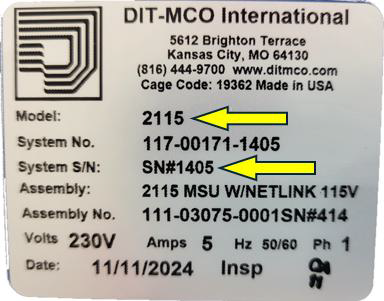
This example is how gray tags may look presently, depending on system configuration. 2115 is the model, and 1405 is the serial number. The switching series type is not listed, but it can only be Series 17.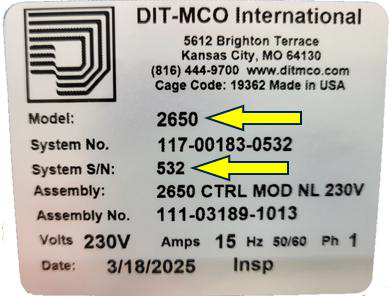
This example is similar to the one before it, except it is for a different configuration. 2650 is the model, and 532 is the serial number. The switching series type is not listed, but it can only be Series 10.
Note: For 2635 systems, the gray DIT-MCO label will be affixed to the outside of the Pelican case. The 2635 model uses Series 10 switching.
Source: NETS User Manual, Revision D, document 132-06035-0006, section 1.4.1.