
The Modes Tab opens a selection screen with modes for modifying a test. The modes listed are specified in Settings > User Preferences > Modes to View. To apply a mode to a test, select it to turn it on. When finished, click the Send button. If applicable to a test situation, multiple modes may be selected. If a mode is modified while paused during a live test, NETS will offer users the choice to modify the mode for the duration of the Test Script or restore the mode to the setting dictated by the test script.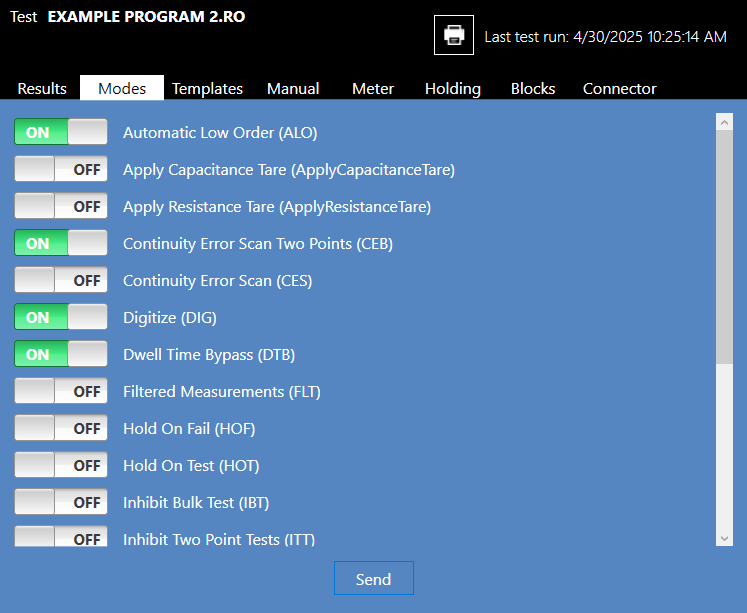
Source: NETS User Manual, Revision D, document 132-06035-0006, section 5.4.1.2.