
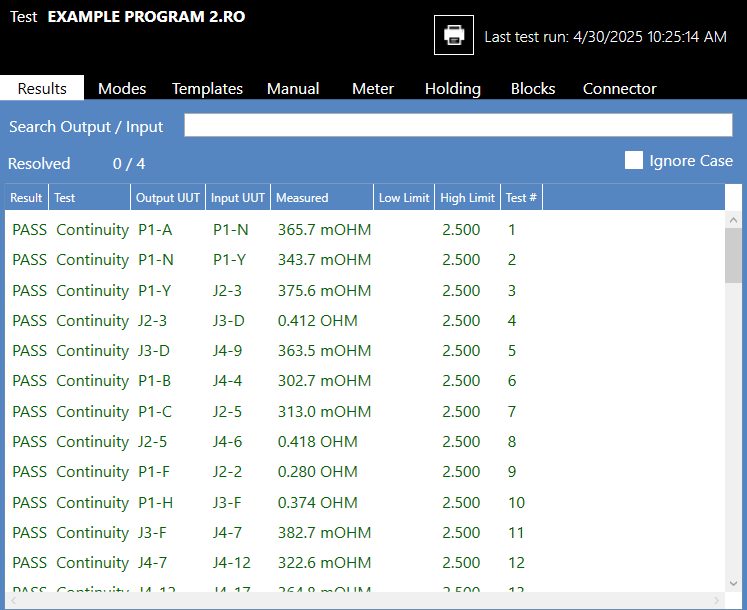
By selecting the Results Tab, users are shown the results for the test components, where applicable.
- Search Output / Input - Here, users can enter the product information, and any tests performed on that entry will be shown in the Function Pane.
- Resolved - Displays the number of errors resolved by the user.
- Ignore Case - This option allows searches to be non-case sensitive.
- Result - Shows a pass or fail test condition.
- Test - Type of tests that are run.
- Output UUT - Output terminal for connection test.
- Input UUT - Input terminal for connection test.
- Measured - Measured test value.
- Low Limit - Low test limit when specified.
- High Limit - High test limit when specified.
- Test # - Number of tests that are run.
Source: NETS User Manual, Revision D, document 132-06035-0006, section 5.4.1.1.