
The Run Connector button begins generating the test for the selected connector. Users can run a connector test before test script execution, during a test stop or pause, or after the main test script execution.
The generated connector test includes the following:
- Test instructions
- ACT statements
- Parameter statements
- Multi-Bus Architecture (MBA) commands
- External Energization/Latching Matrix (EE/LM) commands
- Test Equipment Instrument Control (TEIC) commands
The connector test does not include commands such as:
- Input dialogs like INP, OPD, and CPR
- Write displays
- IF/ELSE commands
- Contingency commands
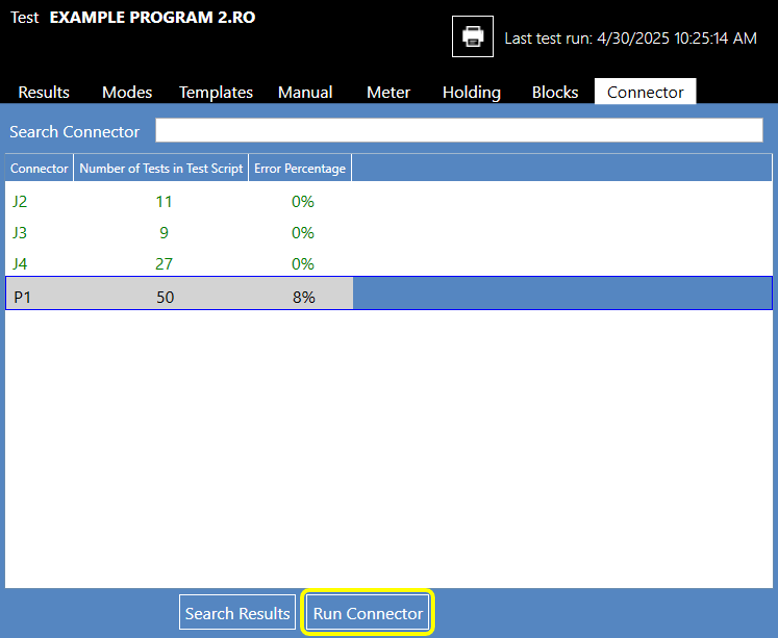
A warning window appears if bulk tests are found, allowing the operator to cancel or inhibit them for safety. This results in an Incomplete connector test status, indicated by color-coding the connector name with a gold color. Select Yes to run Insulation, Isolation, Leakage, and Dielectric tests associated with the selected connector. Select the No button to inhibit Bulk Tests, and perform only Continuity and other Two-point tests. As in all NETS testing, the ABORT button removes all stimulus and aborts the test script.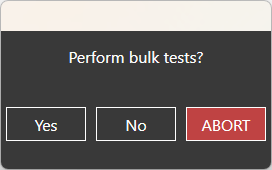
Source: NETS User Manual, Revision D, document 132-06035-0006, section 6.4.