
Switching Type: Click the dropdown list to select the appropriate switching series for the Analyzer.
MBA: This option enables the MBA Configuration menu. Multiple Bus Architecture systems allow external sources and devices to connect through Switching Addresses. These settings are programmed at DIT-MCO before shipping and usually do not require any user configuration. See Appendix D: Multiple Bus Architecture in DIT-MCO document number 132-06047-0006 - NETS
Programming Manual or 132-06042-0006: NETS Programming and Operation Manual for more information. If further configuration is necessary, contact DIT-MCO for instructions and guidance on changing the settings.
System Cards/Modules: Select the System Cards or System Modules dropdown to choose which method will be used to input the total amount of switching. If system modules are selected, NETS assumes these are full modules of switching cards. DIT-MCO recommends selecting System Cards and then entering the total number of switching cards included in the purchased equipment.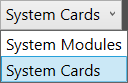
System Points Per Card: When the System Cards option is selected, users can input system points per card. Series 17 switching for a Model 2115 contains 50 points per card, Series 17 switching for a Model 2500 contains 100 points per card, and Series 10 switching for a Model 2650 contains 100 points per card.
System Maximum Address: The highest switching address in the system is entered in this field. If the system is connected and associated, selecting Discover to the far right will cause NETS to auto- detect the highest address in the switching system.
System Tare: This value is assigned by DIT-MCO before product shipping. It is derived from a Tare Map file. Tare is the internal resistance of the analyzer from the measurement unit (typically the SMU) to the front face connector and return path. The value in this field is subtracted from resistance measurements for more accurate pass/fail conditions. See Tare Mapping the Analyzer for more information.
Source: NETS User Manual, Revision D, document 132-06035-0006, section 3.2.4.