
The Templates Tab opens a selection screen that offers eleven (11) test types for user selection. In each test type, the user may select specific parameters to define the test to be run. Users supply the command parameters and I/O addresses (as needed) to build and perform the test. To run a test, the user enters the test parameter details and the I/O addresses and selects the Send button. Valid I/O address(s) must be entered to activate the Send button. The templates listed are specified in Settings > System Defaults > Template Defaults.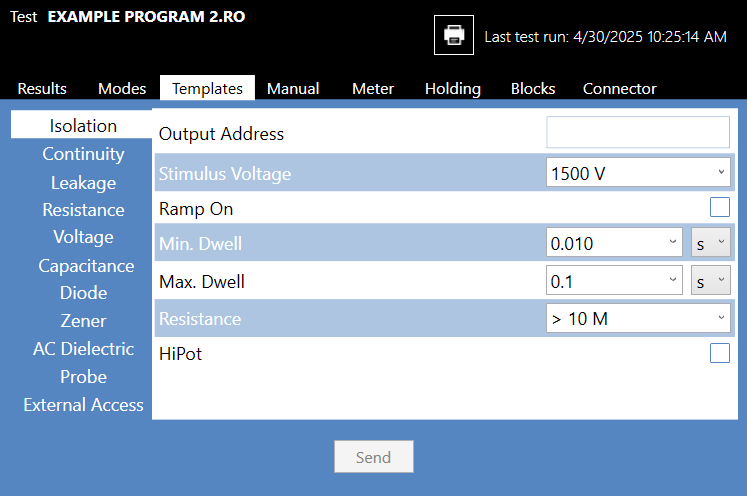
Source: NETS User Manual, Revision D, document 132-06035-0006, section 5.4.1.3.