
Notes: Creates an empty text box for written notes on the printed test report.
Use Legacy Test Results: Uses the Console Log (SAL or SEL) format for the results layout instead of the spreadsheet format of the Default Report.
Print All Tests: All test results are printed when this box is checked. If left unchecked, only test failures are printed in the report.
Parameters: Retrieves active parameter statements at the time of report creation from the test script and prints them all in a section at the beginning of the report.
Remove Scan Results: Displays only initial errors based on the parameters defined and removes errors encountered during subsequent scanning.
Fault Code Table: Adds a table to the report that provides a description of any user-defined fault codes. This information is retrieved from the Fault Codes section in the NETS Settings menu.
Candidate Columns: Lists the options that may be included in the report.
Display Columns: Lists the options that will appear in the report.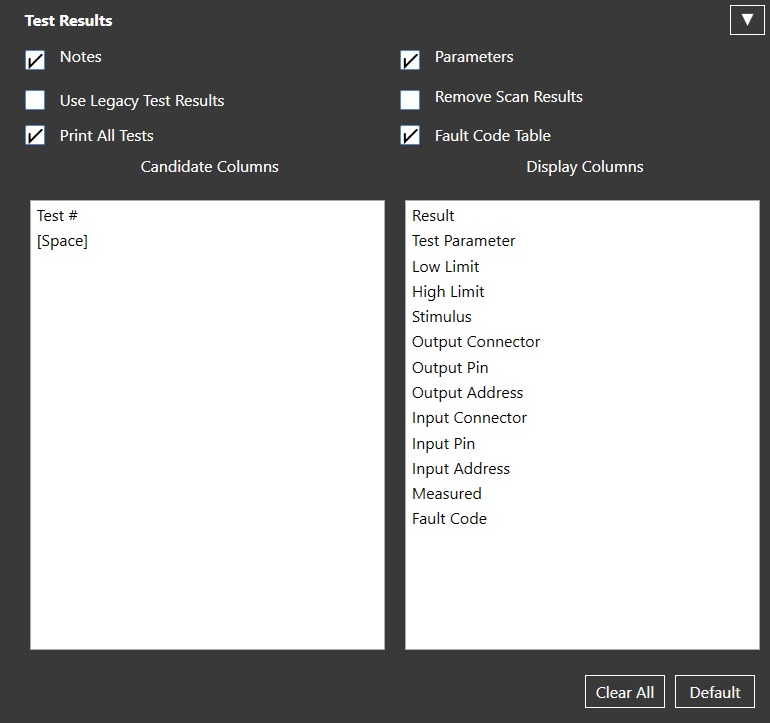
Source: NETS User Manual, Revision D, document 132-06035-0006, section 7.4.